Quick answer: give the builder a 1024 × 1024 PNG with the logo inside the central 66% and a solid background colour; it generates the five legacy sizes, the adaptive foreground and background, and the 512 px Play Store icon. For the splash, a colour or gradient background with a centred logo, exported at 1080 × 2340, letter-boxes cleanly on every phone. The APK Icon Maker and Splash Screen Maker preview both before you build.
What the icon becomes
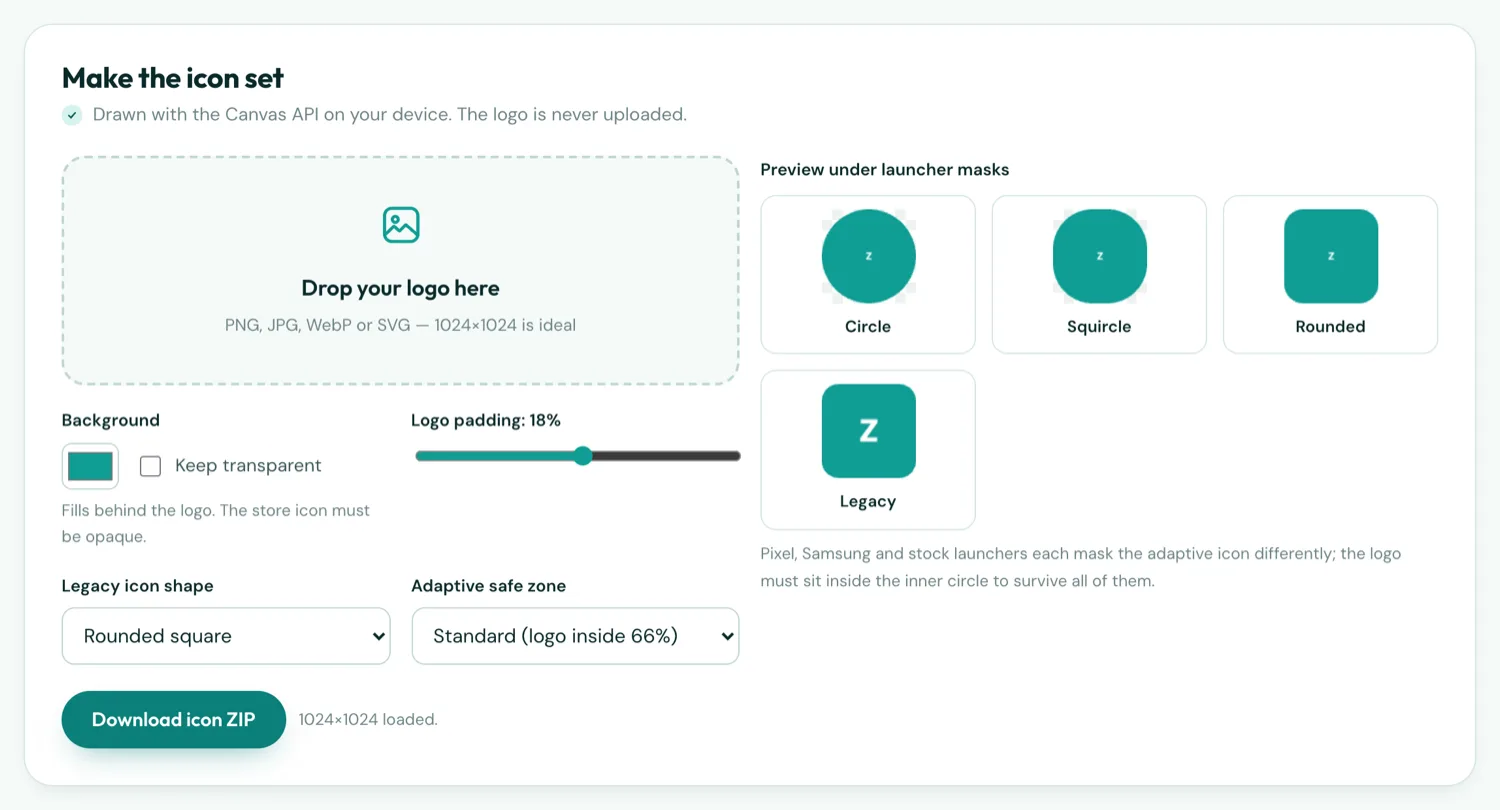
Android 8 and later use adaptive icons: a 108 dp foreground and a 108 dp background, which the launcher composites and then crops to its own shape — a circle on Pixel phones, a squircle on Samsung, a rounded square on many others. Only the central 66 dp is guaranteed visible. Older launchers use a plain legacy icon at five densities from 48 to 192 px. Google Play wants a separate 512 × 512 opaque PNG. The builder produces all of them from your one image, which is why the image has to be designed for the worst case: the circle.
Designing the icon
- Square canvas, 1024 px. Non-square images get padded, which wastes space.
- Logo inside the middle 66%. Anything outside is cropped by at least one launcher. A circular logo can go to about 75%.
- Solid background. The foreground can be transparent, but the composite and the Play icon cannot. Pick the colour in the image, or in the builder's background field.
- No corner radius, no shadow, no glossy overlay. The launcher adds shape and shadow; yours would be doubled.
- Bold shapes, few colours, no thin text. The icon is 48 px on a low-density phone and the Play listing shows it at 64 px.
- Test it under the masks. The icon maker shows the four variants side by side.
What the splash becomes
Since Android 12 there are two splashes. The system splash is drawn by the OS before your app runs: a background colour and the launcher icon (or a dedicated 288 px icon) in a circle. It cannot be a full-bleed image. The app splash is a screen the app shows while the WebView loads index.html — a few hundred milliseconds for bundled content — and that is where a full-screen image with a logo and caption goes. The builder takes your background colour for the system splash and your image (Pro) for the app splash.
Designing the splash
- Colour or gradient background, centred logo. Letter-boxes invisibly on every aspect ratio.
- Export 1080 × 2340 (20:9) for modern phones; 1080 × 1920 if tablets matter.
- Match the icon background. Then the launch animation looks like the icon expanding into the app, which is what Android designs for.
- Keep the middle 60% important. Notches and navigation bars take unpredictable slices off the top and bottom.
- Do not add a delay. The splash is a cover for the first paint, not a brand moment. If you want a longer intro, fade it in from your own index.html.
Exact sizes, for reference
| Asset | Size | Who needs it |
|---|---|---|
| Legacy launcher icon | 48 · 72 · 96 · 144 · 192 px | Generated by the builder |
| Adaptive foreground/background | 108 dp → 108 · 162 · 216 · 324 · 432 px | Generated by the builder |
| Play Store icon | 512 × 512, opaque, no rounding | Play Console listing |
| Feature graphic | 1024 × 500 | Play Console listing — tool |
| Android 12 splash icon | 288 × 288, content in the inner 192 | Optional; the launcher icon is used otherwise |
| App splash image | 1080 × 2340 or 1080 × 1920 | Builder (Pro) |