Quick answer: a blank screen after a ZIP to APK conversion is, in order of likelihood: (1)
index.htmlis inside a folder in the ZIP rather than at the root; (2) the page uses absolute paths starting with/; (3) a script is loaded withtype="module"; (4) the pagefetch()es a local file; (5) a client-side router expects server URLs; (6) a required library is loaded from a CDN and the phone is offline; (7) a JavaScript error on load. Open yourindex.htmldirectly from disk in Chrome (afile://address) and press F12 — the app behaves almost exactly like that, and the console names the cause.
First, reproduce it on your computer
The app loads your pages from inside the APK, which behaves like opening a file from disk. So double-click index.html — or drag it into Chrome so the address bar reads file:///…/index.html — and press F12 for the console. If the page is blank there too, the console tells you which of the seven it is. If it works there but not in the app, it is cause 1 (the ZIP structure), which desktop Chrome never sees.
The ZIP checker finds causes 1 to 4 without opening anything:
1. index.html is not at the root of the ZIP
Symptom: blank screen, sometimes an error page saying the file was not found. Cause: you compressed the folder rather than its contents, so the archive holds my-site/index.html. Fix: open the folder, select everything inside, compress the selection — or use the Folder to ZIP tool, which strips the wrapper. This is the most common cause by a wide margin.
2. Absolute paths
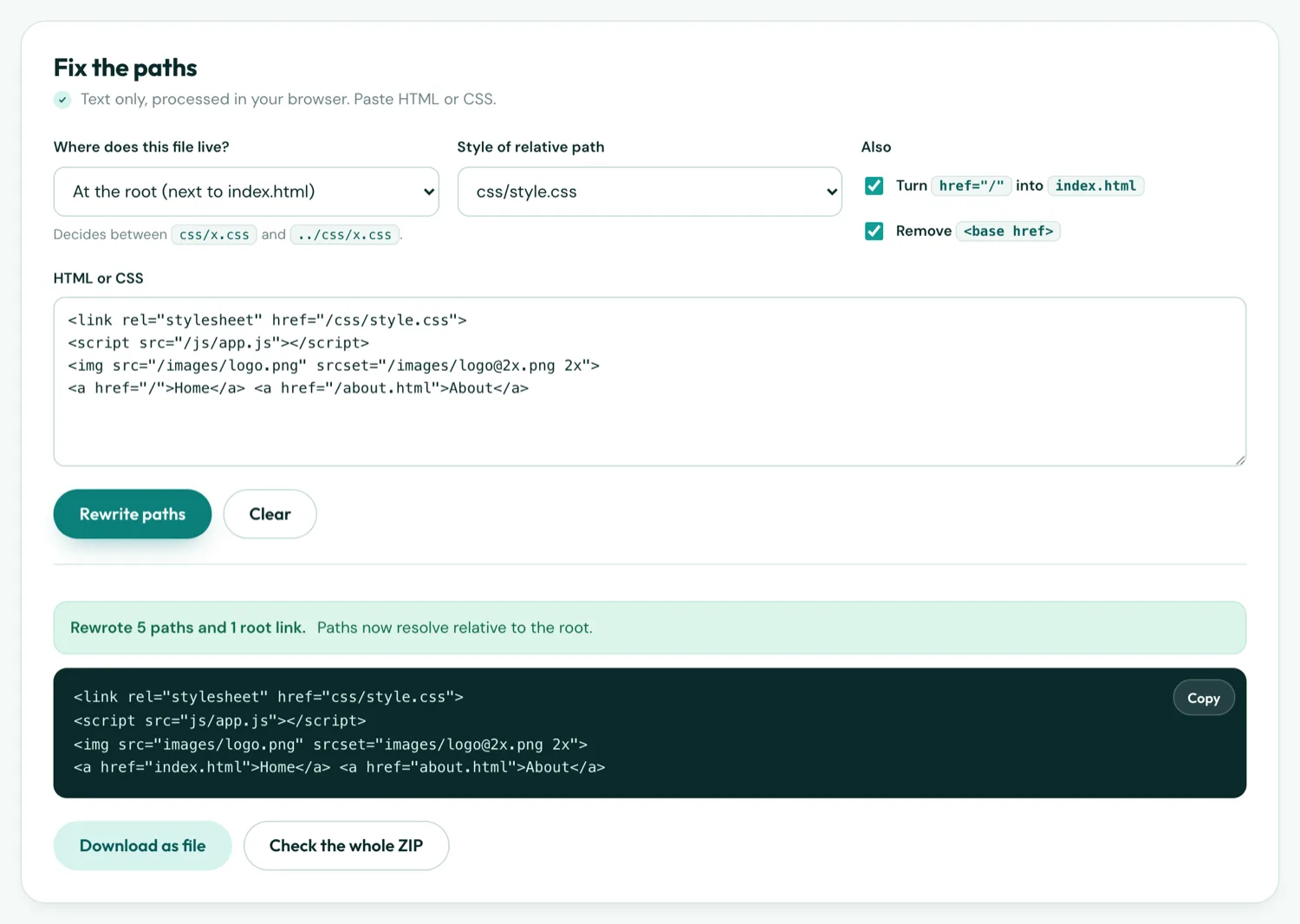
Symptom: page appears unstyled, images broken, or blank if the script that draws the page is missing. Console shows net::ERR_FILE_NOT_FOUND for file:///css/style.css. Cause: href="/css/style.css" resolves from the device root, not your project. Fix: make paths relative — css/style.css, or ../css/style.css from a sub-folder. The Absolute Path Fixer rewrites a page; for a framework build, set the base path (next guide).
3. Module scripts
Symptom: completely blank, console says Access to script at 'file:///…/app.js' from origin 'null' has been blocked by CORS policy. Cause: <script type="module"> is fetched with CORS, and a bundled page has a null origin. Fix: produce a classic script. Hand-written code: remove the type attribute and merge your modules into one file. Vite: add @vitejs/plugin-legacy or build with build.rollupOptions.output.format: 'iife'. Webpack: do not set output.module. Then load the result with a plain <script src>.
4. fetch() or XMLHttpRequest to a local file
Symptom: the page shell appears but content that comes from data.json never does; console shows a CORS or Failed to fetch error. Cause: Chrome blocks XHR/fetch between file:// URLs. Fix: turn the data file into a script: data.js containing window.DATA = {…};, loaded with <script src="data.js">. For large data, split it into several such files.
5. Client-side router expecting a server
Symptom: blank on launch, or works on the first page and blanks on navigation; console mentions a route not matched. Cause: history-mode routers (React Router's BrowserRouter, Vue Router's createWebHistory) use URLs like /about that require a server to serve index.html for every path. Fix: use hash mode — HashRouter, createWebHashHistory(), Angular's useHash: true. URLs become index.html#/about, which needs no server.
6. A library loaded from a CDN, phone offline
Symptom: works on Wi-Fi, blank without. Cause: <script src="https://cdn…/vue.js"> cannot load with no connection, and the page depends on it. Fix: download the library into the ZIP and reference it relatively. Fonts and analytics from a CDN can stay — they fail gracefully.
7. A JavaScript error on load
Symptom: blank, and the console shows a red error that is not one of the above — an undefined variable, a missing DOM element, a feature the WebView does not support. Cause: a bug that only shows in this environment; often code that reads location.search or localStorage in a way that assumes a web origin. Fix: read the error; wrap origin-dependent code in a try/catch; test on file:// before every build. The Android WebView is Chrome, updated through Play, so feature support matches a recent Chrome — but not necessarily the very latest.
Less common
- A
<base href="https://…">tag sends every relative link to your old website. Remove it. - A
<meta http-equiv="refresh">redirect to a URL that does not exist in the bundle. - Case mismatch:
Logo.PNGon disk,logo.pngin the HTML. Windows forgives it, Android does not. - A service worker that intercepts navigation. It will not register on a bundled page, but code that awaits it before rendering can hang. Guard it:
if ('serviceWorker' in navigator && location.protocol !== 'file:').
Checklist before the next build
- Open index.html from disk in Chrome — does it render?
- Console clean of red errors?
- ZIP checker green?
- Phone offline test: turn off Wi-Fi and data, then open the app